AI credits and usage
AI credits are the monthly allowance your Formis tenant spends when metered Formis AI features run, such as Pre-Submission Insight. Every plan includes 100 free credits each month; Tenant Admins track usage and buy packs under Settings → Plan & Billing on the Formis AI card.
In our sample project, Maple Commerce Center, the Tenant Admin checks remaining credits during a busy RFI week, then buys a prepaid pack before overage starts.
- Tenant Admins open billing.
- Metered Formis AI features, including Pre-Submission Insight, draw credits.
- Formis AI Help chat does not draw credits.
How credits work
- Every plan receives 100 free AI credits each month.
- Pro and Business also receive a one-time 500-credit starter pack (Starter does not).
- Prepaid packs of 2,500, 5,000, and 10,000 credits are available to purchase from billing on eligible plans.
- After included and prepaid balances, usage continues as metered overage. If a monthly spending cap is set and overage spend would exceed it, metered AI that needs overage stops until the period rolls or the cap is raised.
Formis draws credits from monthly free, then starter pack, then prepaid, then overage.
Where to see usage
- Open Settings → Plan & Billing (
/settings/billing). - On the Formis AI card, review credits used for the period, then follow Usage & buy credits.
- On Usage history (
/settings/billing/ai-usage), review detailed usage. - Open Prepaid credit packs (
/settings/billing/ai/buy-credits) to purchase packs when your plan allows. - Adjust Spending cap from the Formis AI billing path when you want a hard stop on monthly overage.
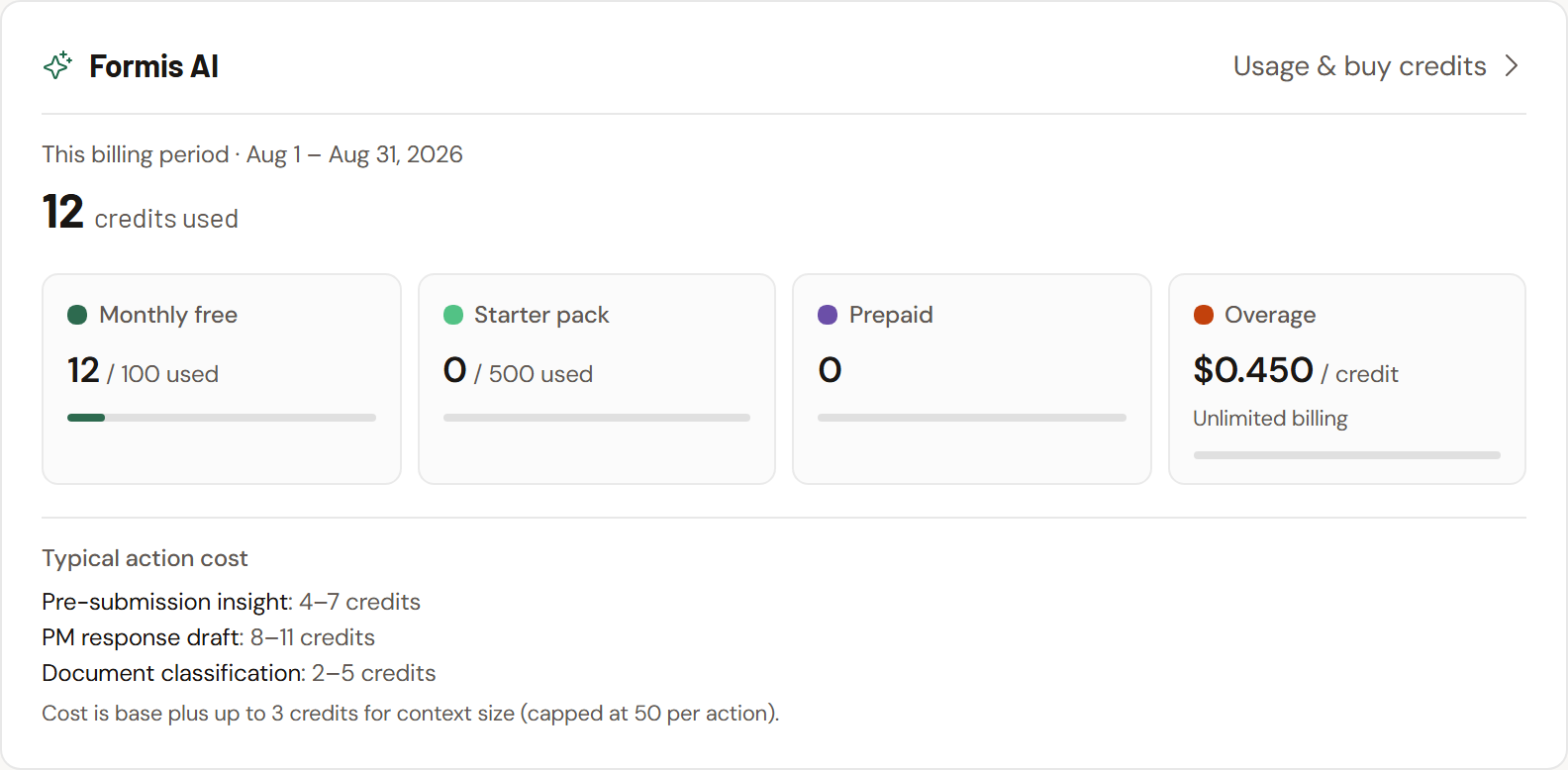
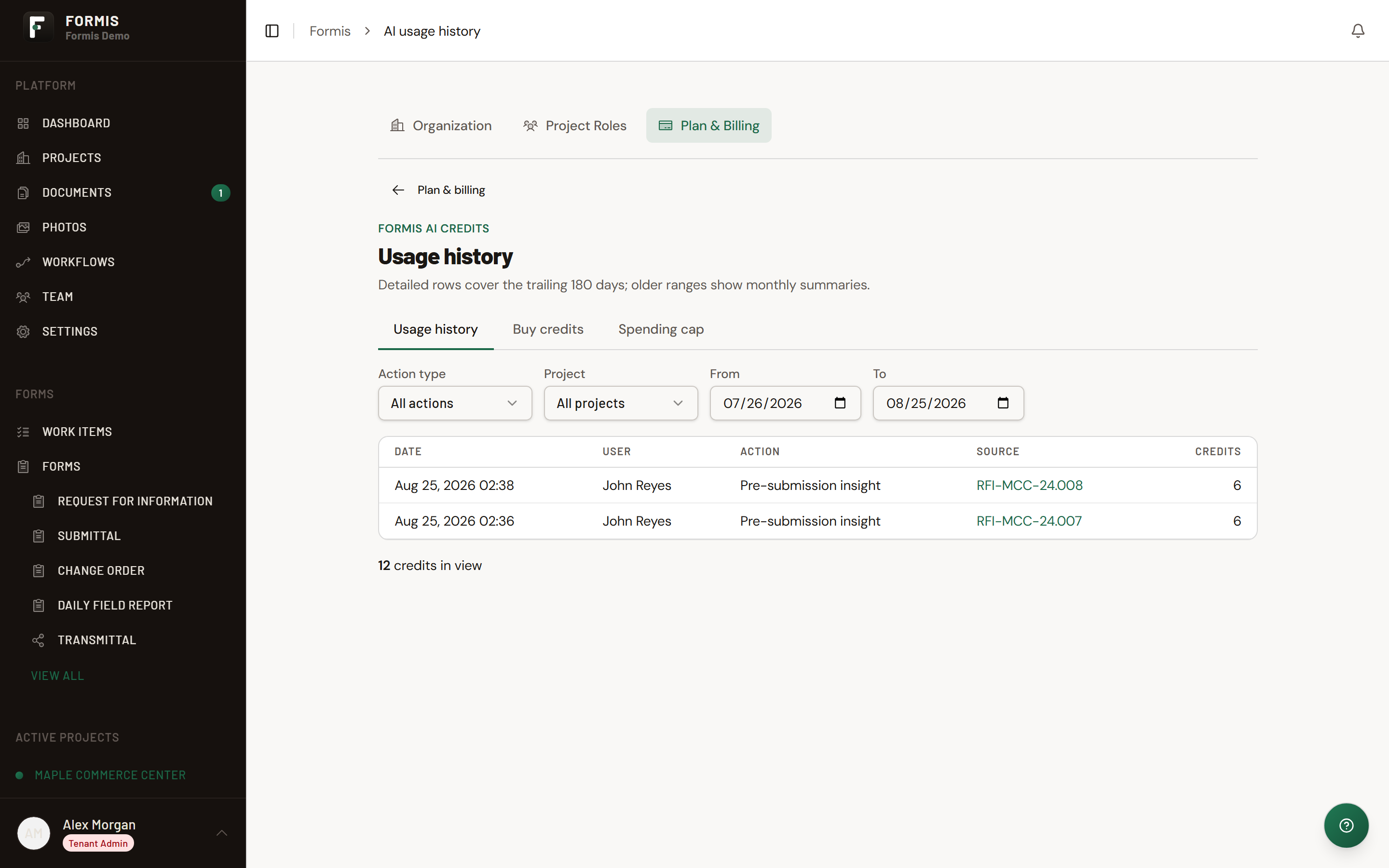
Usage, packs, and current rates live under Plan & Billing → Formis AI. This article does not list dollar amounts because rates change.
Only Tenant Admins can purchase prepaid packs. See Plans, trials, and upgrades and Pre-Submission Insight.