Plans, trials, and upgrades
Plans, trials, and upgrades cover how your Formis tenant buys Formis and unlocks higher-tier features. Open Settings → Plan & Billing to review Starter, Pro, Business, or Enterprise, start or complete the 14-day trial, and upgrade through Stripe when you need features such as Document Control or custom email templates.
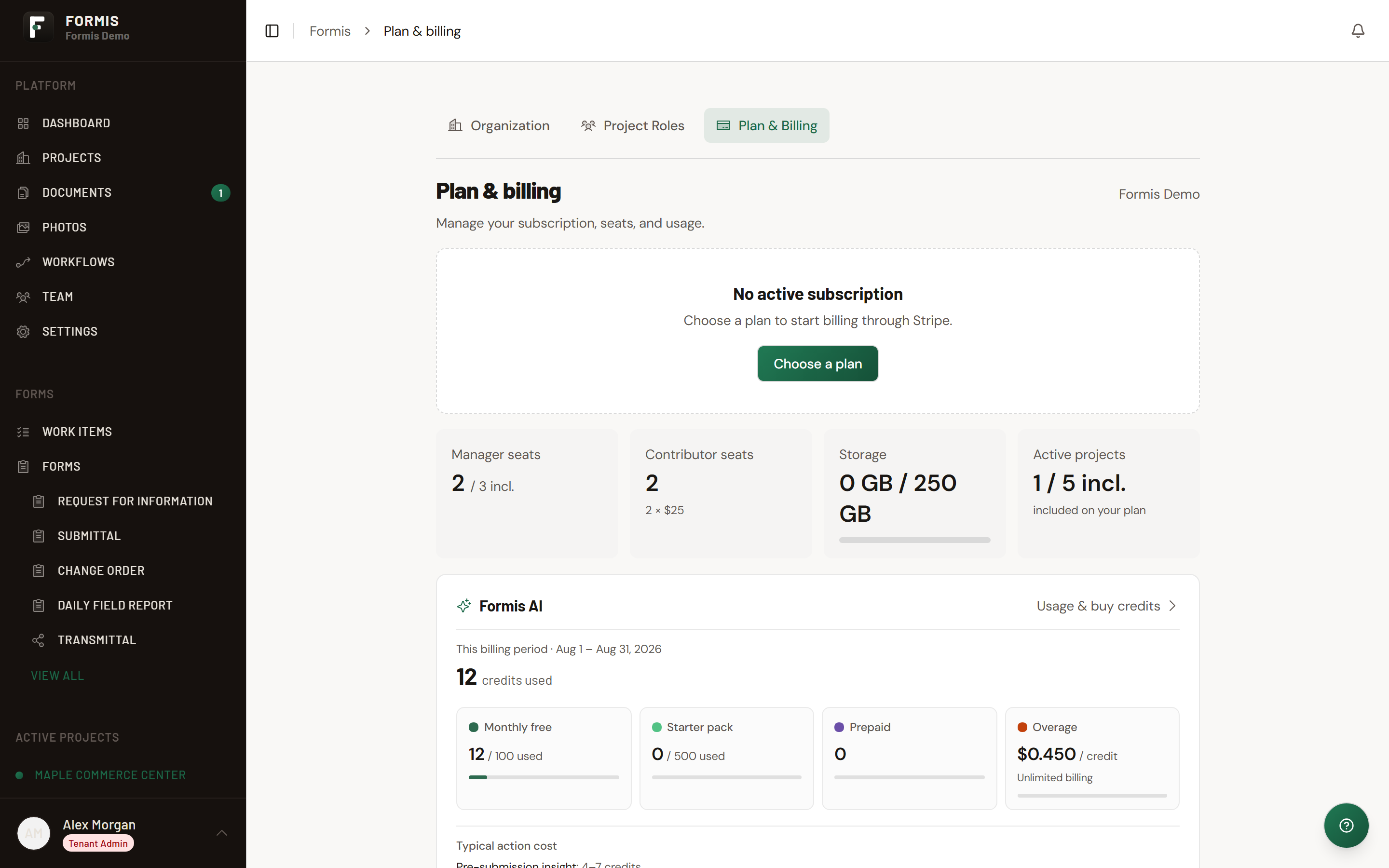
In our sample project, Maple Commerce Center, the Tenant Admin opens Plan & Billing, reviews the current tier, and chooses Pro so the project can turn on Document Control and custom invite email.
Only a Tenant Admin manages billing for your tenant.
Plans Formis offers
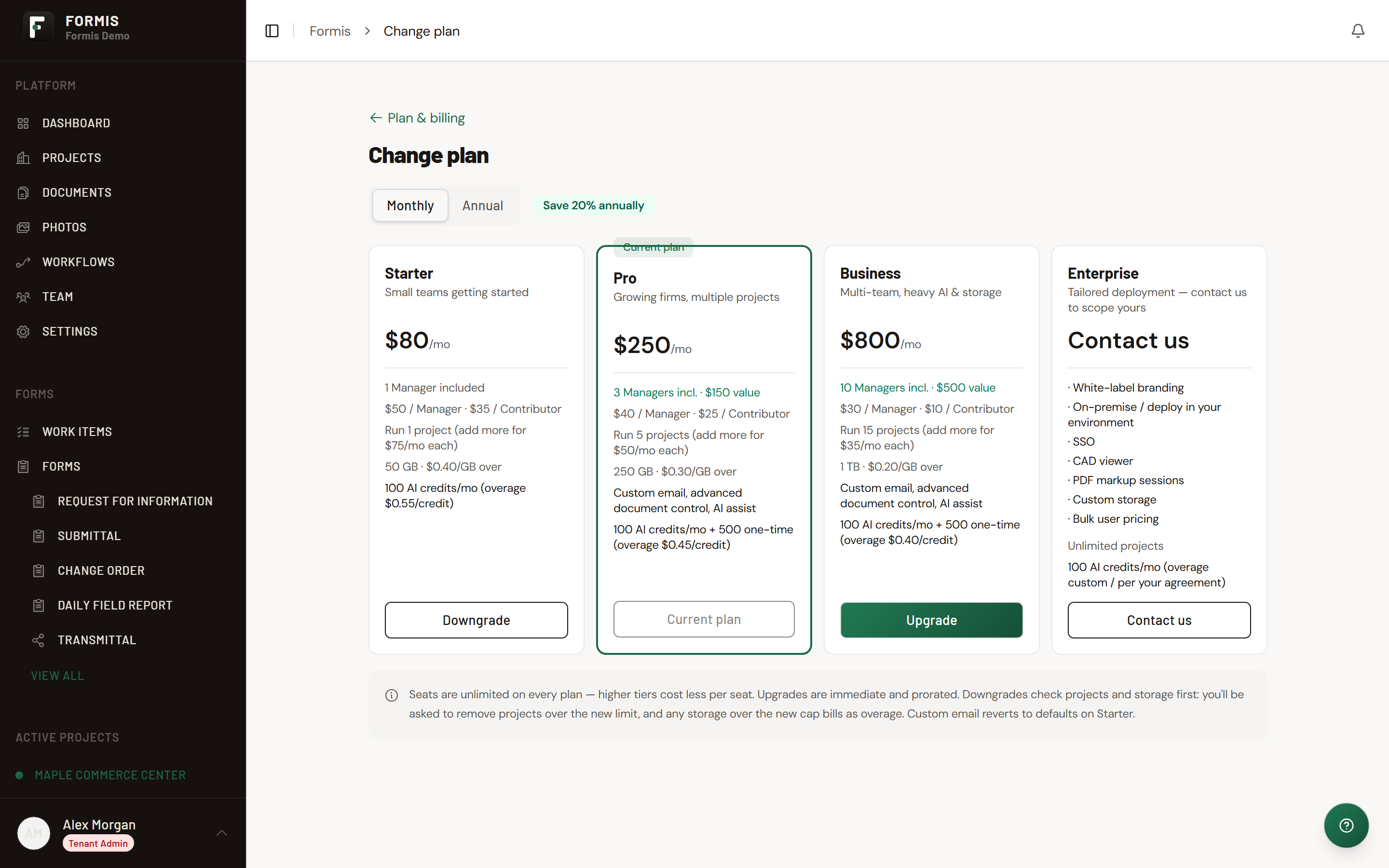
Formis sells Starter, Pro, Business, and Enterprise. Feature gates (for example custom email templates and advanced Document Control) unlock on higher tiers. For current list prices, open https://useformis.com/pricing. This article does not list prices because they change.
Trial
New tenants that start through Stripe checkout receive a 14-day trial. After the trial, billing continues on the plan you selected unless you change or cancel from billing.
Open billing and upgrade
- Open Settings.
- Click Plan & Billing (
/settings/billing). - Review your current plan summary.
- Click Upgrade plan or Choose a plan to open the plan picker (
/settings/billing/plans). - Choose Monthly or Annual, select the tier, and confirm through Stripe.
- Use Manage billing when you need the Stripe customer portal for payment method or invoices.
After upgrading, return to Team for email templates or Project Settings for Document Control as needed.