Guest acknowledgment without a seat
Guest acknowledgment lets an outside recipient review a transmittal package, download files, and acknowledge or decline from an emailed link without a Formis seat (login license). After someone sends the transmittal, the guest opens Review and Acknowledge, completes the package, and may request permanent access if they want an account.
This walkthrough uses the Transmittal form from your construction starter pack. Your Formis tenant's forms may use different fields and names because Formis forms are configured to how you run the work.
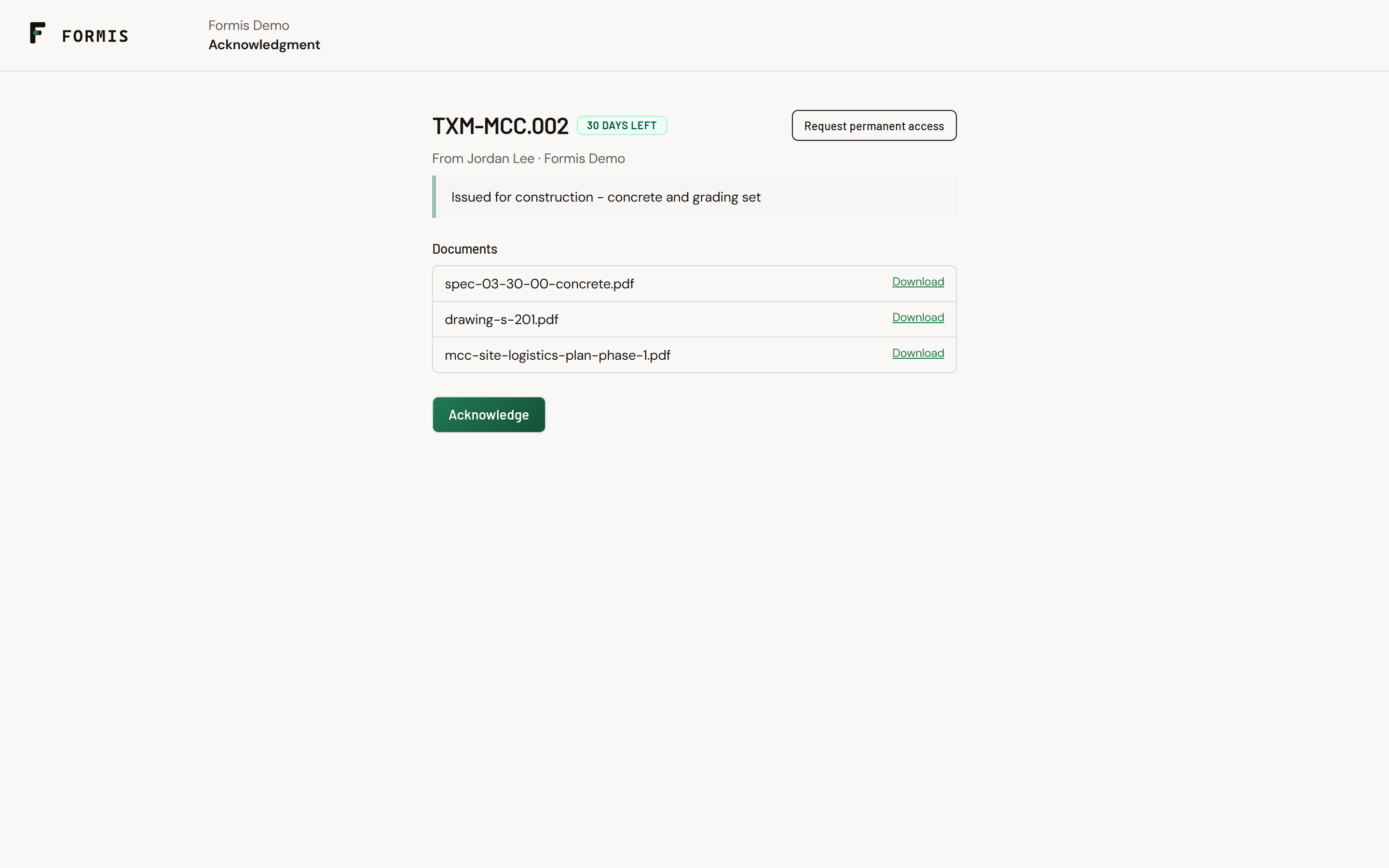
In our sample project, Maple Commerce Center, the team sends a transmittal to an architect who has no Formis login. The architect opens Review and Acknowledge from email, downloads drawings, and acknowledges.
A transmittal must already have been sent to the guest email.
People who already have an active account in your tenant use the in-app acknowledgment path instead of this guest link.
How the guest link works
When Formis resolves a recipient as an external email (no active user in your tenant), send issues a time-limited signed URL (magic-link token) and emails them. The message CTA is Review and Acknowledge. The link opens {your app URL}/t/ack/{token}.
Token lifetime is set on the acknowledgment configuration and clamped between 1 and 14 days (default 14).
Guests cannot browse the register or rely on Project-wide access; they only see the packaged files on the acknowledgment link.
What the guest can do
On a valid link, the guest can:
- Review the acknowledgment package for that transmittal.
- Download the attached documents.
- Add a Comment and Signature when the package requires them.
- Click Acknowledge, or Decline when decline is allowed on that package.
- Click Request permanent access if they want a Formis Contributor account so they are not limited to one-time links.
They cannot browse your full document register or use a seated Formis workspace from this page.
If the link expires
When the token is past its expiry, Formis clears it and shows This acknowledgment link has expired, with recovery options including Request permanent access.
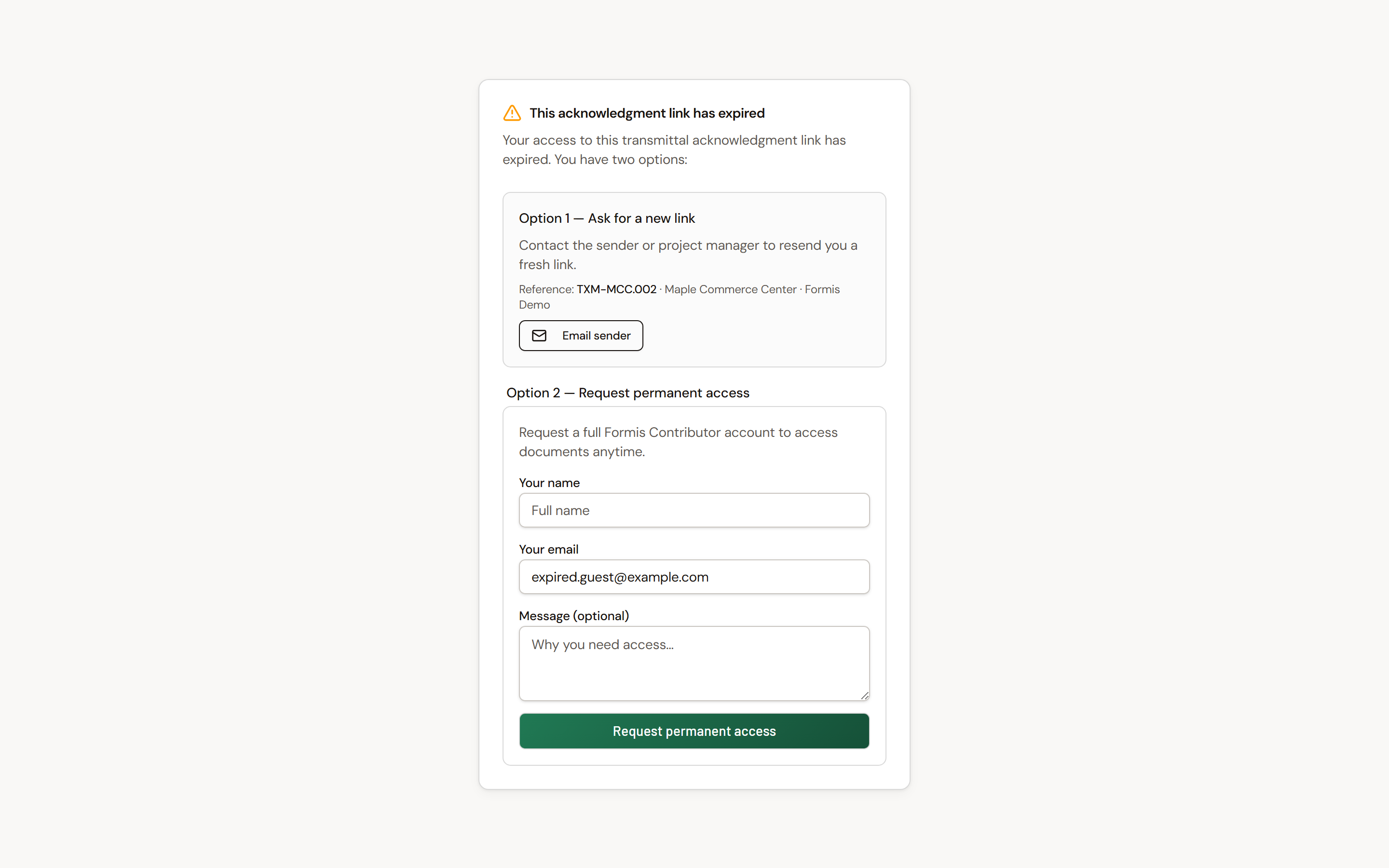
Ask the sender to use Resend email on the transmittal for that recipient, or to send a new acknowledgment request. Permanent access requests go to your team for follow-up.