Work with outside partners on a project
Working with outside partners means inviting owner's reps, engineers, and subcontractors onto one project while each company sees shared work and their own records, not your full internal filing set. Create outside companies, assign seats and roles, then share with Project-wide access or transmittals (document packages with acknowledgment).
In our sample project, Maple Commerce Center, the GC keeps the host company as the default, adds the owner's rep and a steel sub as outside companies, and shares only the packages each partner needs.
This article is written for Tenant Admins and Managers on the host company, the people who can change these settings.
For the Standing and Delivery full picture, see How Formis decides what you can see.
| Partner situation | What they typically see / do |
|---|---|
| Owner's Rep on an outside company | Review and acknowledge packages; published Project-wide, same-company, or transmitted docs; no pending review queue |
| Engineering firm on its own company | Own uploads and same-company work; GC files via Project-wide access or transmittal |
| Sub crew with an Access Group | Only assigned forms in Forms; documents still follow company, Project-wide, and transmittal rules |
| Guest with no seat | Acknowledge from the emailed link only; cannot browse the full register |
Document doors (own uploads, same company, Project-wide, and transmittal) and how Standing differs from Delivery are covered in How Formis decides what you can see.
Can the owner's rep see internal documents?
No. An outside Owner's Rep does not see your pending review queue or your full internal filing set. Keep the owner's rep on an outside company with an Owner's Rep project role. They can review and acknowledge packages you send, including guest acknowledgment when they have no seat yet. They only see published documents that are Project-wide, from their company, or granted by transmittal. Hold internal drafts in Needs Review until you are ready to publish or transmit.
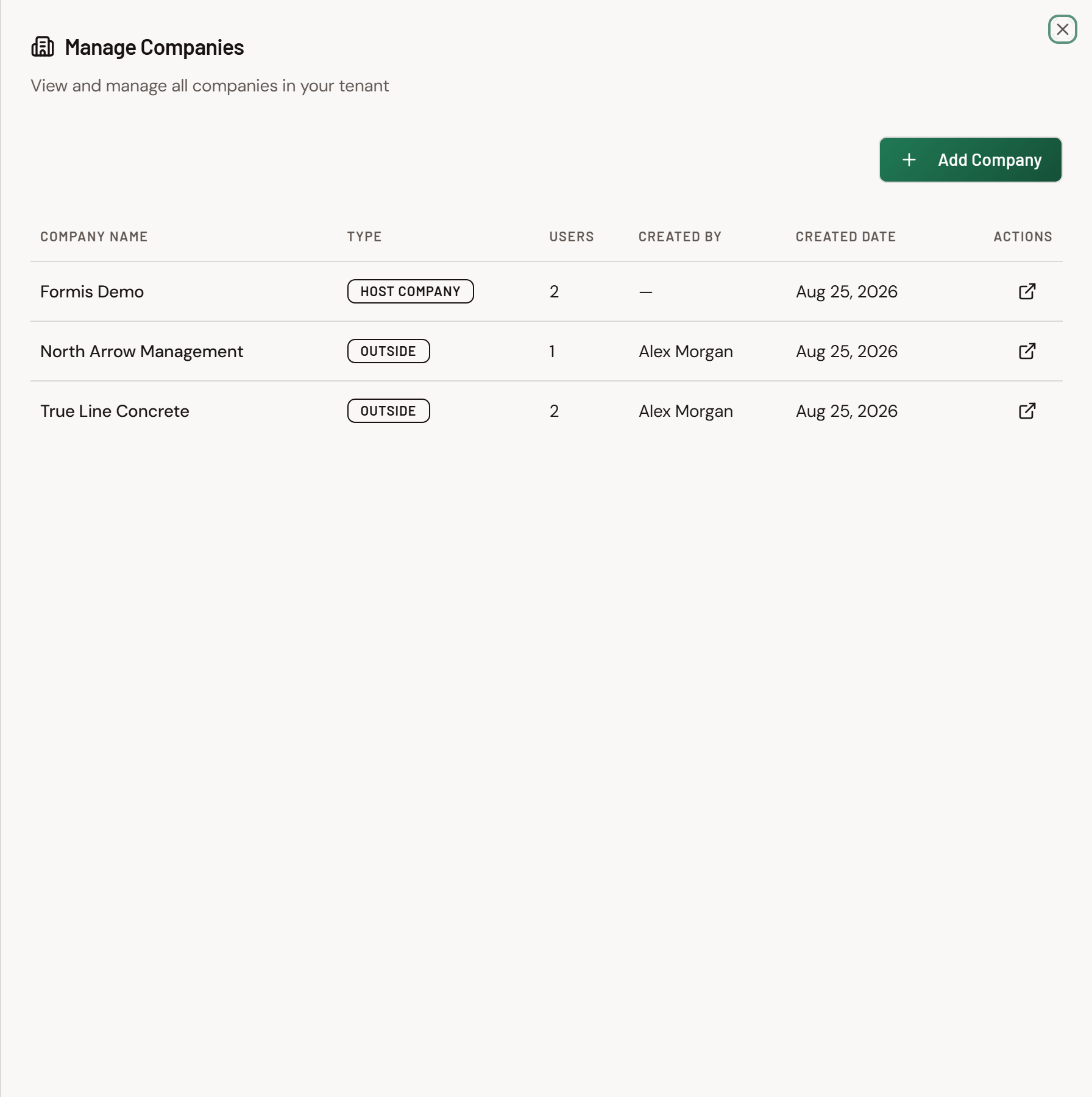
How do engineers see their submittals plus shared docs?
Put the engineering firm on its own company. Same-company visibility shows their own uploads and submissions. Share GC-issued published files with Mark as Project-wide access (Share a document Project-wide), or send a transmittal so acknowledgment grants access to that package. See Guest acknowledgment without a seat and Send a transmittal.
How do Access Groups limit a sub crew?
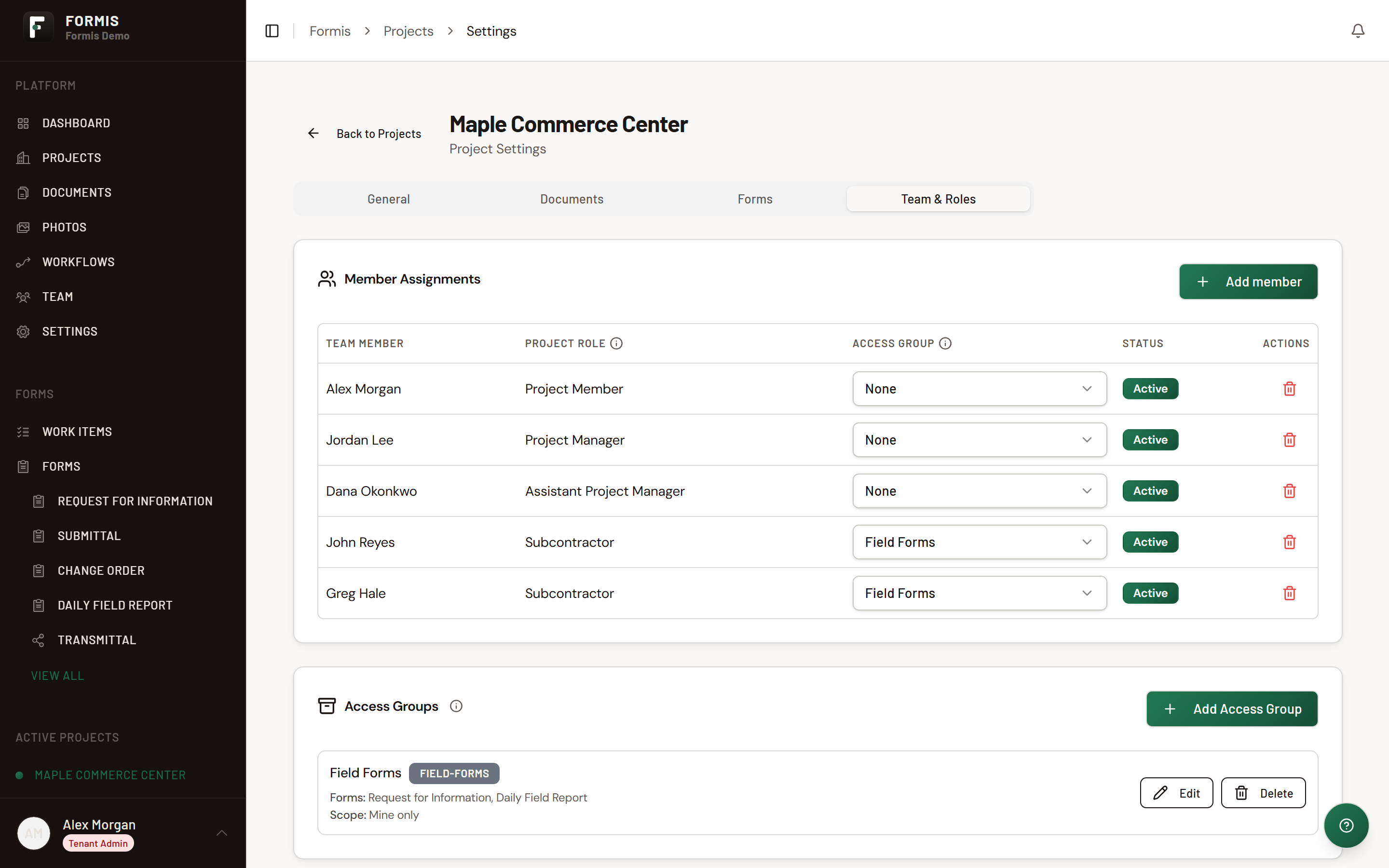
Assign the sub crew to an Access Group (forms whitelist) that includes only the forms they should open (for example Daily Report and their submittal form). Access Groups limit the forms menu. They do not hide document rows by themselves. Use company scoping, Project-wide flags, and transmittals for file visibility.
How do I set up a sub crew that shares each other's work?
Put the crew on one outside company with Contributor seats and one shared Access Group; same-company visibility covers each other's allowed form submissions.
On Maple Commerce Center, True Line Concrete Contributors John and Greg share Access Group Field Forms (Request for Information and Daily Field Report). Each sees the other's RFIs and Dailies. Documents still follow company, Project-wide access, and transmittal rules; Access Groups never hide document rows.
Why would someone at an outside company have a Manager seat?
So a partner can run their firm's people and act on workflow steps for their project role while staying on an outside company.
Dana at North Arrow Management holds a Manager seat and Assistant Project Manager on Maple Commerce Center. Steps assigned to Assistant Project Manager route to her and she can act on them. She invites her firm's Contributors and Managers and manages project team when she holds that PM-class role. Access Groups still limit her firm's forms. Pending review stays with the host company.
What can each party see on a change order?
Everyone who can open the shared change-order record sees the same fields on that record; plan sharing at the record and package level. Use the construction-pack change order workflow so each role acts in turn (for example GC, then Architect or Project Manager, then Owner's Rep).