Control what reviewers can edit: step edit policies
A step's Edit Policy controls which form fields its assignees can change while the form is in their court. Reviewers get the fields they need, like a response or disposition, while the submitter's original entries stay locked, so the record shows exactly who wrote what.
Before you start
- You need a Tenant Admin or Manager seat with access to edit the form's workflow in your Formis tenant.
- Edit policies are set per review step. If you are new to review steps, start with The anatomy of a review step.
Why edit policies matter
A form submission is a record, and a record is only as good as its integrity. Without an edit policy, a review step would face a bad choice: lock the whole form so reviewers cannot contribute their part, or open the whole form so anyone in the chain could alter what the submitter wrote. The edit policy resolves it per step: each step's assignees can edit exactly the fields that belong to their part of the process, and nothing else.
Set the edit policy on a step
Select the review step and open the General tab. Under Edit Policy, choose Read-Only, All Fields, or Allowlist Fields. For Allowlist Fields, use Allowed Fields to pick which of the form's fields the step's assignees can edit while the step is theirs.
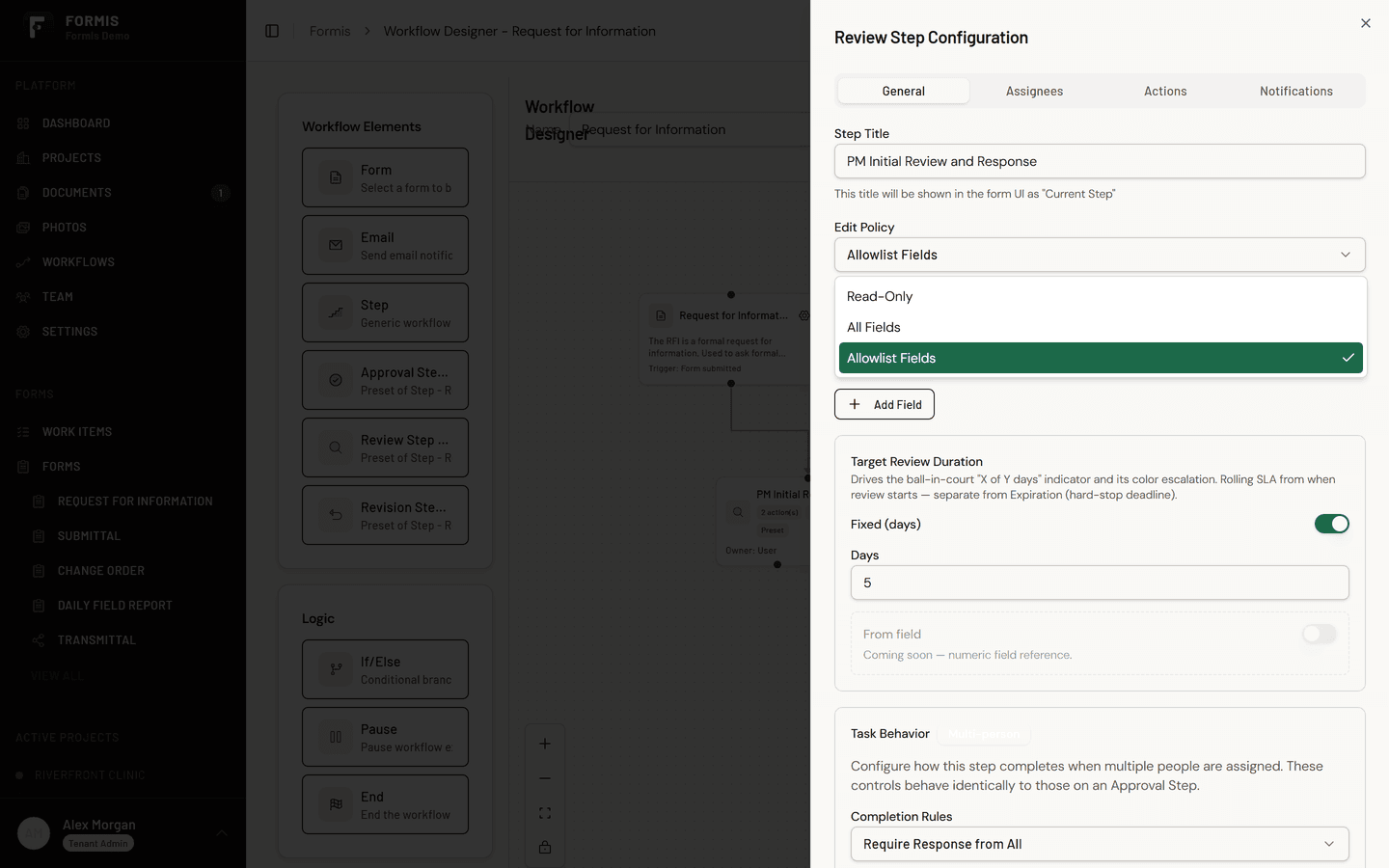
Everything not made editable stays visible but locked for that step. The reviewer reads the full form; they can only change their own lane.
A worked example
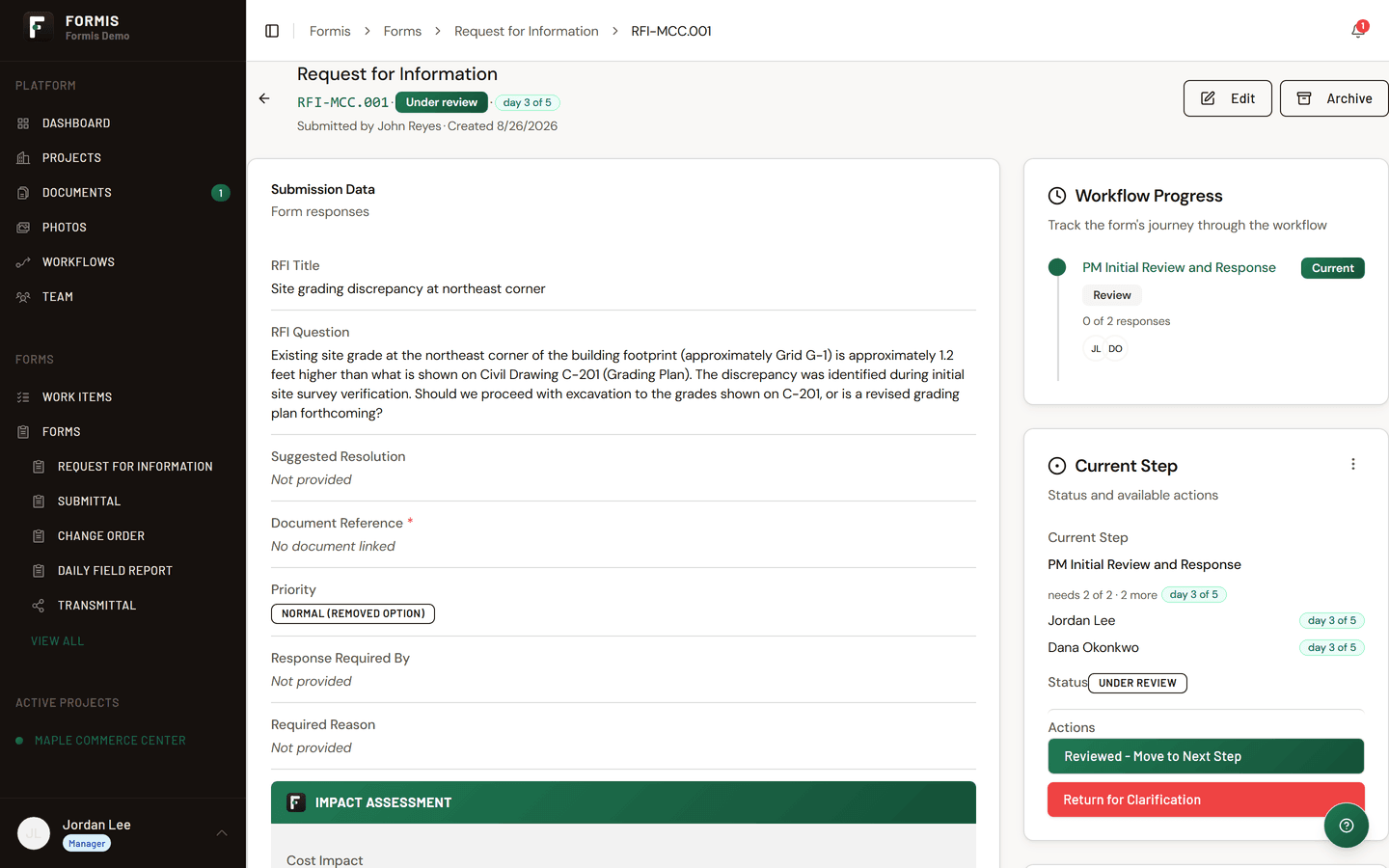
On Maple Commerce Center, the RFI runs a two step review. Greg Hale at True Line Concrete submits an RFI with a question, references, and a needed-by date.
- Step one, completeness check. Jordan Lee's Edit Policy is Allowlist Fields for the internal notes and reference fields, so he can tighten a drawing reference before it reaches the design team. The question itself is not editable: it stays exactly as Greg asked it.
- Step two, design review. The reviewers' Edit Policy is Allowlist Fields for the response field and response attachments, nothing else. Their answer goes on the record in their own fields, alongside Greg's untouched question.
The closed-out RFI reads cleanly: who asked what, who answered what, with no possibility that a later step quietly rewrote an earlier one.
Patterns worth copying
- Response fields only for design and engineering reviews: the reviewer answers, the question stands.
- Coordination fields for a GC completeness step: references, categorization, and routing fields open; the substance locked.
- Everything locked for acknowledgement style steps: set Edit Policy to Read-Only. The assignee's action is the response and the form should not change at all. The step still completes when they pick an action.