Configure step actions and outcome severity
Each review step carries a set of actions the reviewer chooses from, and each action can carry an Outcome severity. When several reviewers respond with different actions, the most severe outcome governs the step, so one Revise and Resubmit outweighs three approvals, and the workflow routes on that governing outcome.
Before you start
- You need a Tenant Admin or Manager seat with access to edit the form's workflow in your Formis tenant.
- Actions are configured per review step. If you are new to review steps, start with The anatomy of a review step.
Configure the step's actions
Select the review step and open the Actions tab. Use Add Action to define the choices the step's assignees will pick from, like Approved, Approved as Noted, Revise and Resubmit, and Rejected on a submittal review, or a simpler Answered and Needs Clarification on an internal check. Each row has an Action Label; you can remove an action or rename it there.
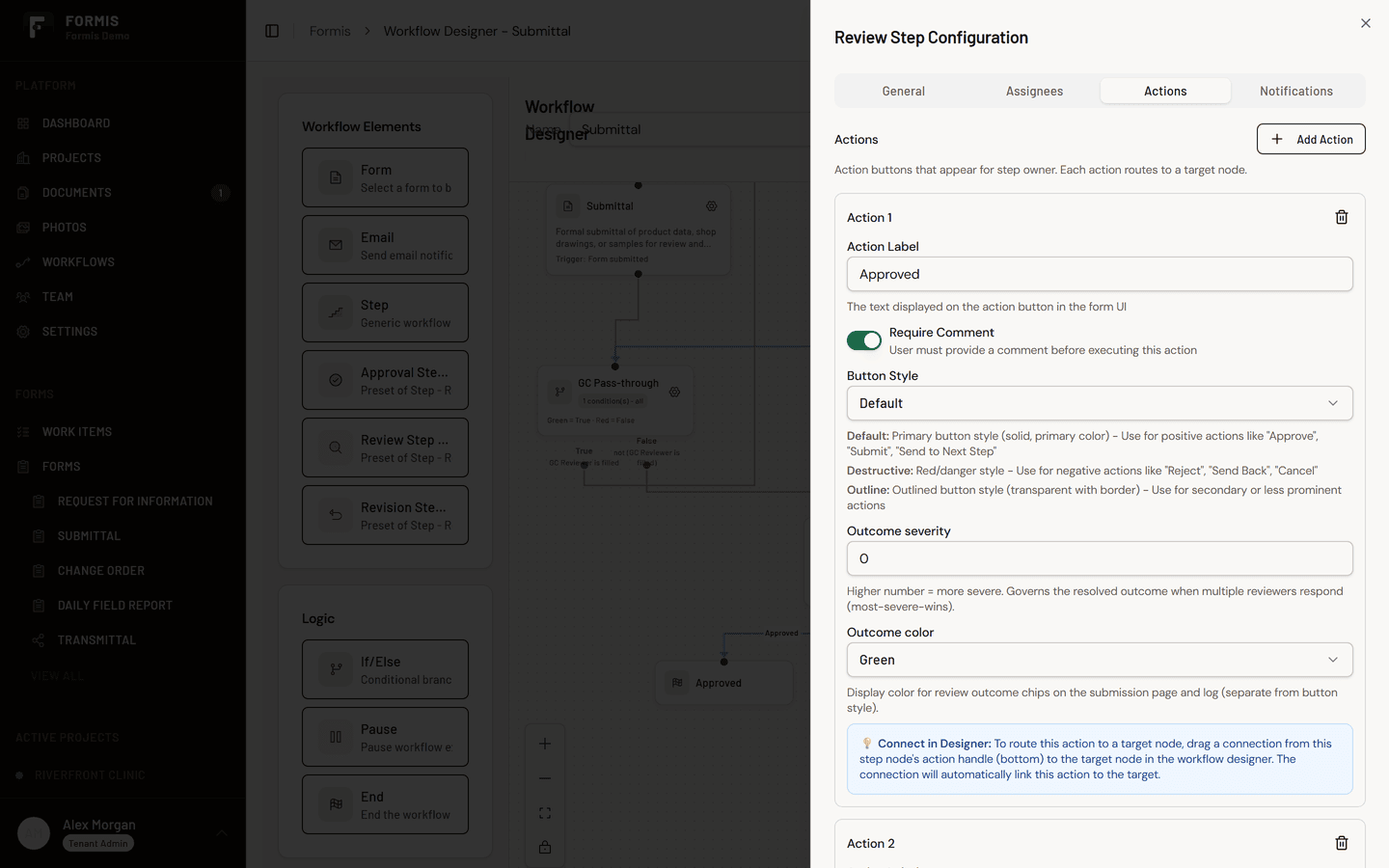
The actions are yours to configure per step: their labels, how many there are, and what each one means for the workflow. A triage step might carry two actions; a formal disposition step might carry four. Starter forms like the Submittal come with the industry-standard set already configured.
Set each action's outcome severity
Set each action's Outcome severity, a number that is its weight when responses are combined. Higher numbers are more severe. Leave it blank only when you do not need most-severe-wins on that step.
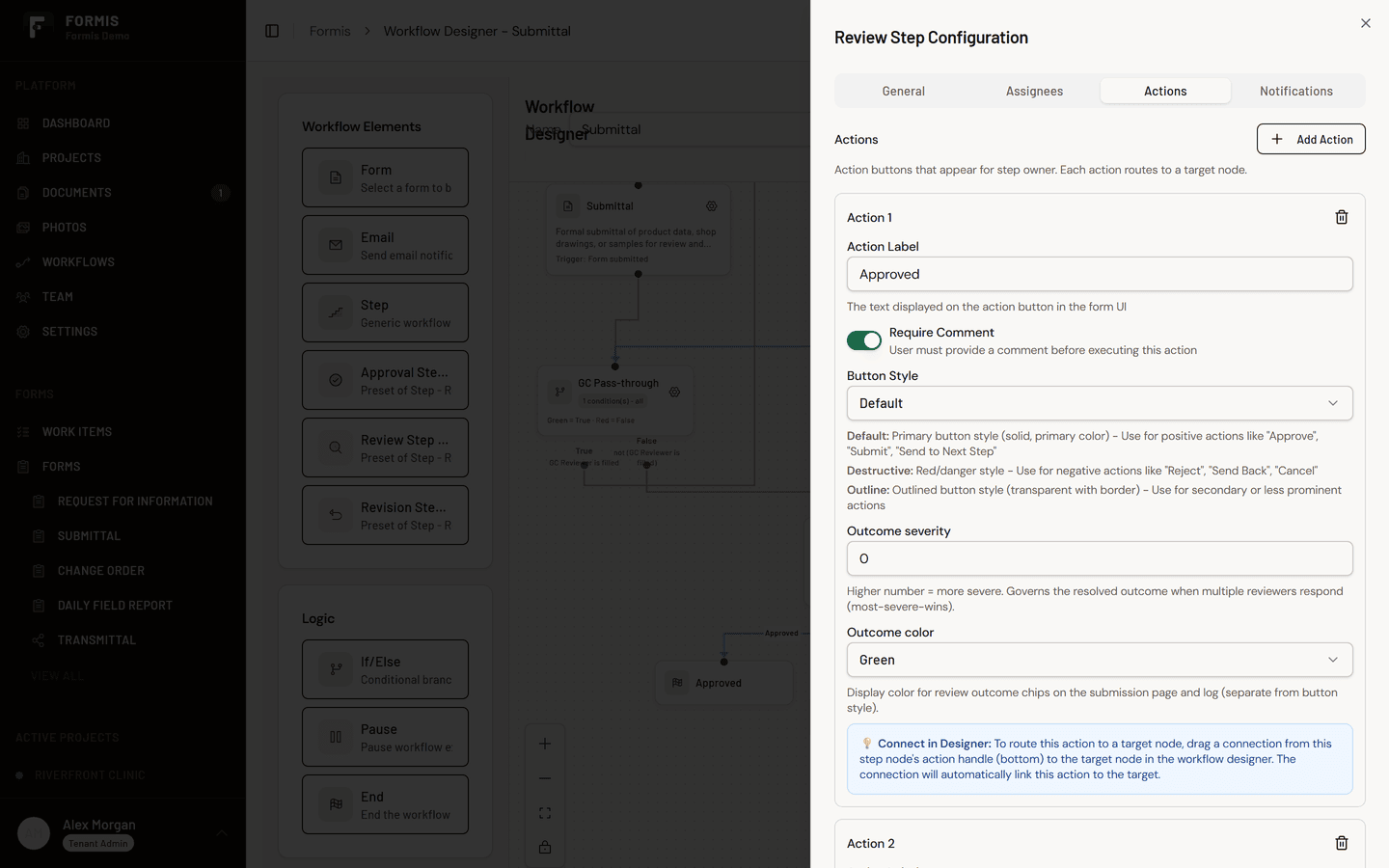
Severity exists for one reason: steps with several reviewers can receive different answers. An architectural reviewer approves as noted while the structural reviewer wants a revise and resubmit. The step cannot close on both, so the most severe outcome governs, and that governing outcome is what the submission displays and what the workflow routes on.
The principle to configure by: order the severities the way the real world works. A rejection must outweigh a revise and resubmit, which outweighs an approve as noted, which outweighs a clean approval. One reviewer finding a real problem should always govern over three who found none.
How the governing outcome plays out
On Maple Commerce Center, a structural steel submittal routes to two design reviewers with Completion Rules set to Require Response from All:
- The architectural reviewer responds Approved as Noted.
- The structural reviewer responds Revise and Resubmit.
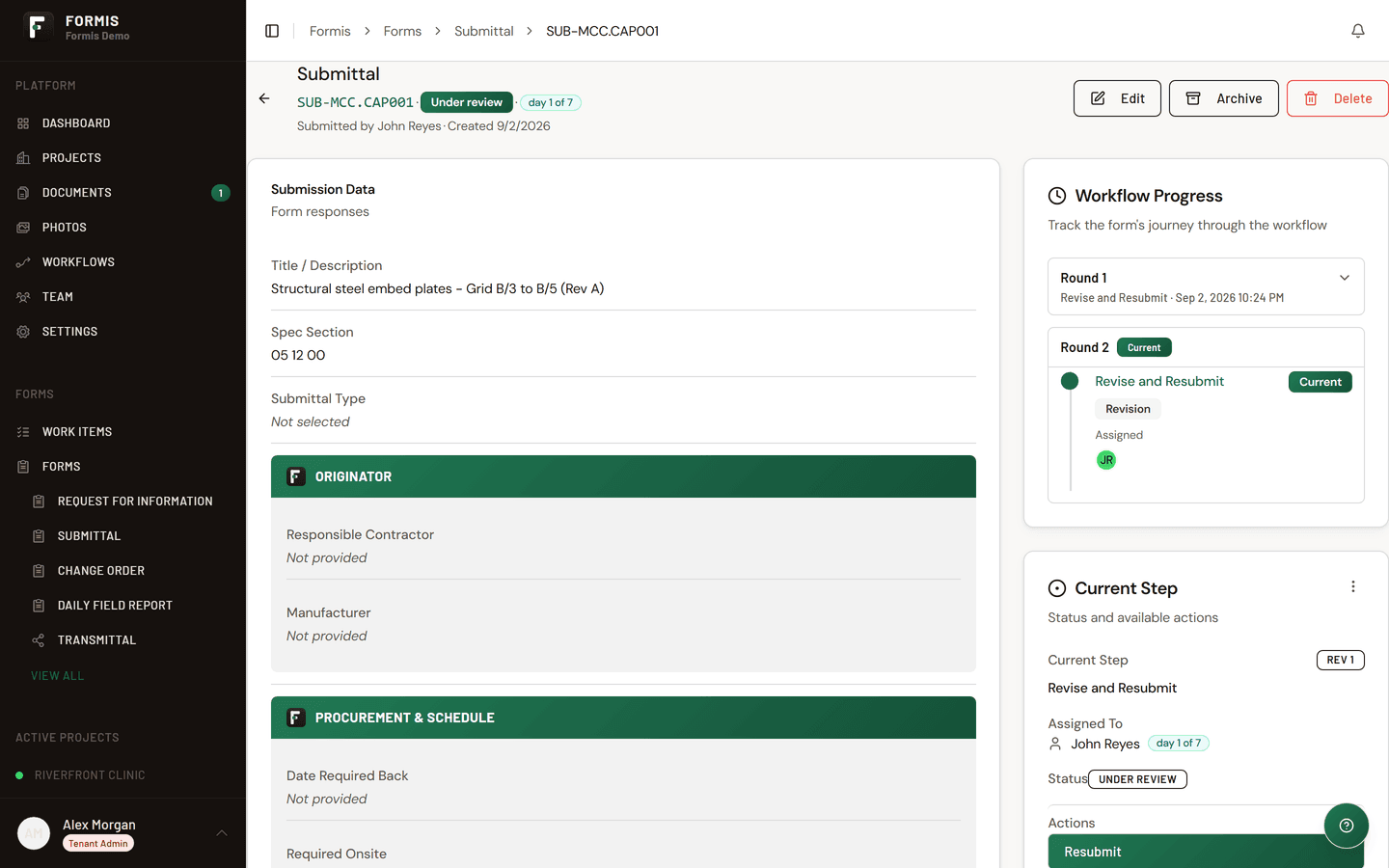
- The step completes with Revise and Resubmit governing: that is the outcome on the submission, and the workflow routes down the resubmission path rather than to closeout.
The individual responses stay on the record, both reviewers' answers are preserved with their names and dates, but the step speaks with one voice, and it is the strictest one.
Routing on the outcome
The governing outcome is what conditional paths read. Route an approval to closeout and distribution, a revise and resubmit back to the submitter for a new round, a rejection to whatever your process demands. Because the routing reads the governing outcome, the path taken is always consistent with what the submission displays: there is one answer, everywhere.