What companies are and how to use them
A company in Formis is a grouping for people inside your Formis tenant. Everyone belongs to the host company (the default company for your Formis tenant) or an outside company such as a subcontractor. Companies are not separate accounts; they sit inside your tenant and drive who sees whose work on shared projects.
In our sample project, Maple Commerce Center, we group a steel sub's crew under their company so they see their own uploads and shared project documents, not the full internal filing set.
This article is written for Tenant Admins and Managers on the host company, the people who can change these settings.
For the Standing and Delivery full picture, see How Formis decides what you can see.
What a company is
Everyone who works in Formis belongs to a company: the host company or an outside company such as a subcontractor or design partner.
Companies are not separate Formis accounts. They sit inside your tenant and drive who sees whose work on shared projects.
Create and manage companies
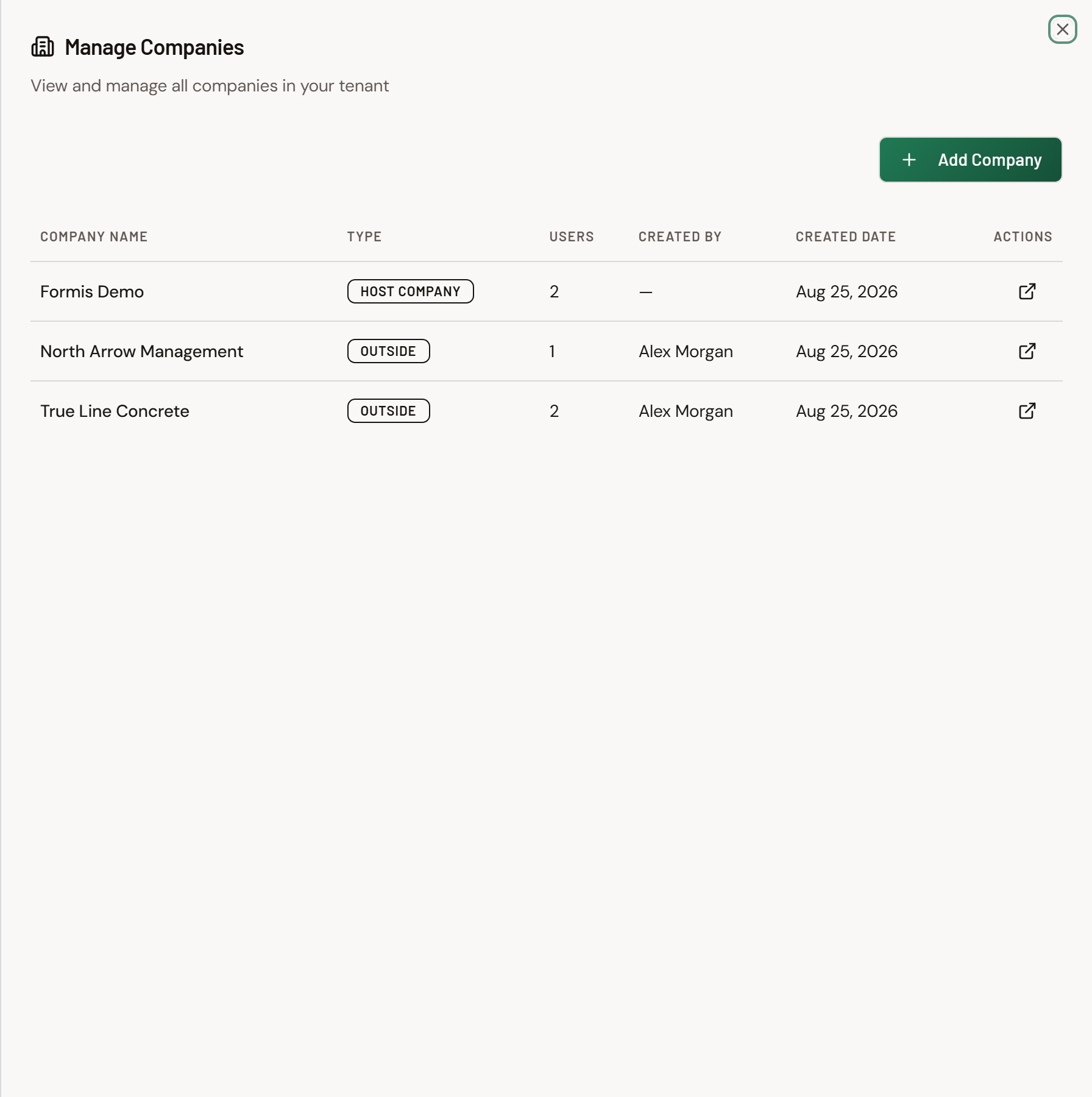
- Open Team (
/team). - Click Manage Companies.
- The host company is created for you; add outside companies here.
- You can also create a company while inviting someone: in Invite New User, open Company, then Add Company.
The setup wizard's Your company step names your default company on first run. See Run the setup wizard.
What company changes about visibility
On a project they are assigned to, Contributors (day-to-day seat) see:
- Work they uploaded themselves
- Work stamped with their same company
- Documents marked with Project-wide access
They do not automatically see another company's private project files. Outside-company people see their own company's work plus what you share with them on projects they are assigned to.
A Manager on the host company sees all forms on their assigned projects regardless of company. A Manager at an outside company is limited like a Contributor. Company also determines how every upload is stamped.
For how Project-wide access differs from a transmittal (and how Standing vs Delivery fit together), see How Formis decides what you can see.
How do I set up a sub crew that shares each other's work?
Put the crew on one outside company, give them Contributor seats, and assign the same Access Group; same-company visibility then shows each person the others' allowed submissions.
In our sample project, Maple Commerce Center, John and Greg work for True Line Concrete. Both hold Contributor seats. We assign them to one Access Group, Field Forms, that includes Request for Information and Daily Field Report. John sees Greg's RFIs and Dailies (and Greg sees John's) because they share a company and the Access Group allows those forms. They do not see other companies' private submissions.
When to group people into companies
Use a separate company when:
- A subcontractor or consultant crew should collaborate on your project (for example, Maple Commerce Center) without seeing your full internal document set
- You need clear ownership of who uploaded what across companies
Keep people on the host company when they are your staff and should work inside your host-company boundary.