Daily Field Report Software: How Formis Daily Field Reports Work
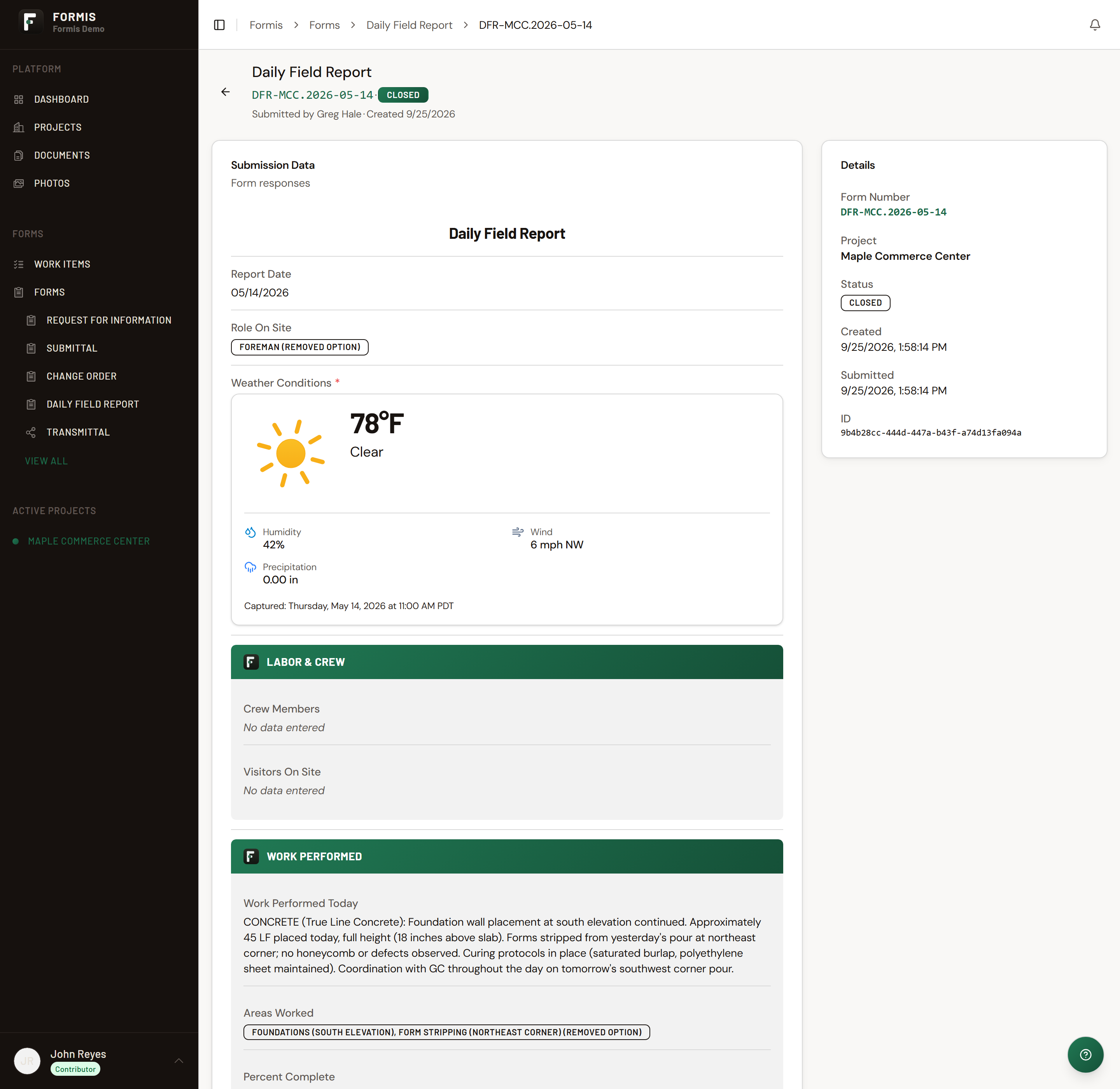
A Formis Daily Field Report is a single submission that captures a day on site: weather, crew and hours, work performed, equipment and materials, delays or safety incidents, tomorrow's plan, and a signature. It's built for one person to fill out once at the end of the day, not a multi-step review cycle.
Daily Field Report is a starter template, not a fixed feature
Formis is a configurable construction forms and workflow platform. Teams build whatever forms their project needs. Daily Field Report is one of several starter templates Formis provides pre-built, so a team can start logging daily site activity in minutes instead of designing a form from scratch. Workflows are fully configurable too. To save setup time, this starter ships with a simple, ready-to-use review step, described below. Every field and the workflow itself can be renamed, reconfigured, or replaced, and the same platform handles any other construction form a team wants to build.
What's on a Daily Field Report
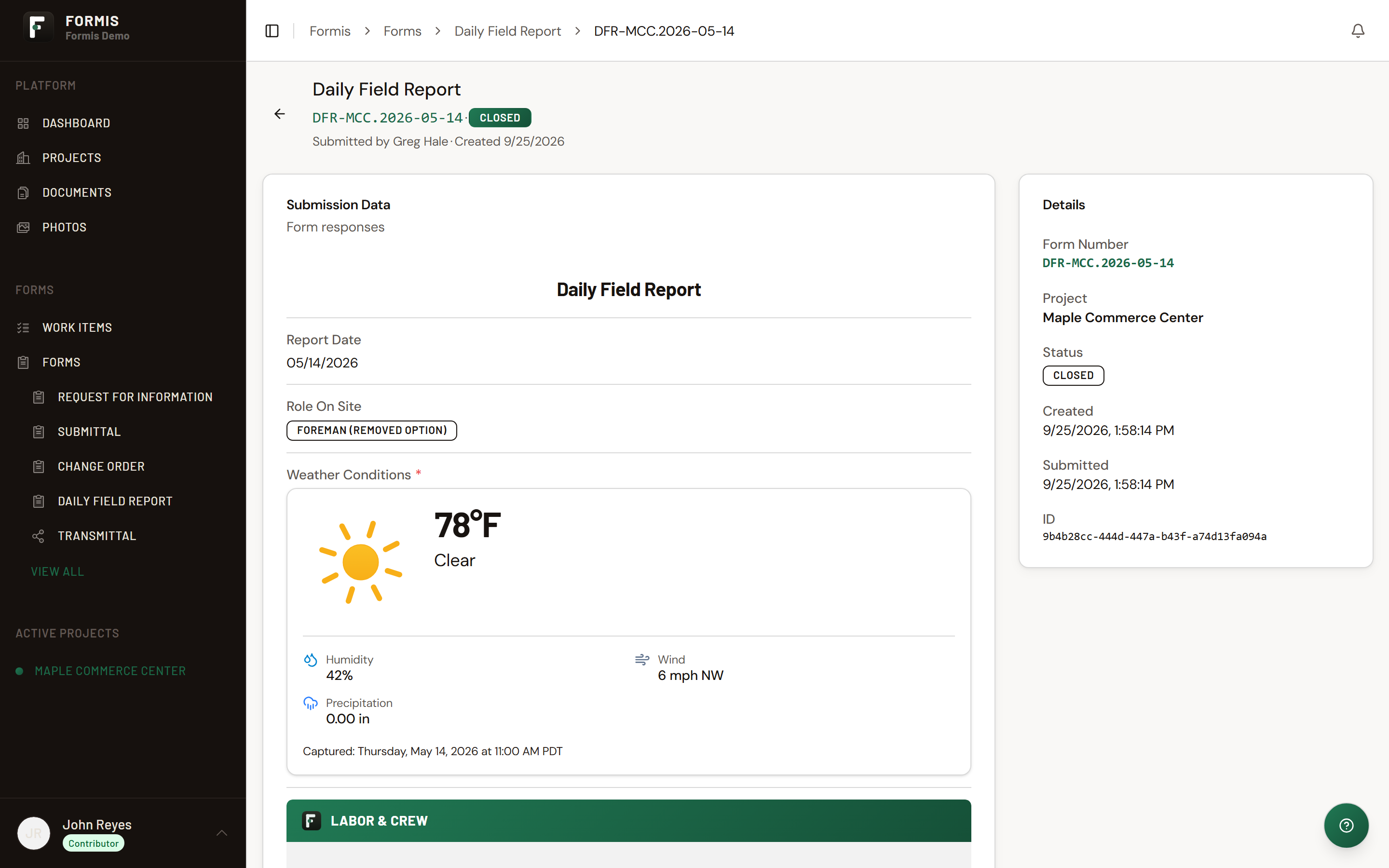
Site conditions
- Report date and the role of whoever's filling it out
- Weather conditions: tap Get Weather to pull current conditions automatically instead of typing them in
Labor and crew
- Crew members, each with trade and hours worked
- Visitors on site, with their purpose for being there
Work performed
- A free-text summary of what got done
- Areas worked
- Percent complete by trade, tracked both for the day and cumulatively
Materials and equipment
- Equipment used, with hours, operator, and an issue flag with notes
- Materials delivered, with quantity, supplier, and condition on arrival
Delays, issues, and safety
- Three yes/no flags (Delays, Issues, Safety Incident(s)), each backed by a text field to describe what happened
Close of day
- Photos
- Tomorrow's plan
- General notes
- A signature to close out the report
How it's reviewed
Once submitted, a Daily Field Report goes to the project's Project Manager for a single approval step, a simple, ready-to-use review built into the starter template so reports don't just sit unread. Two outcomes:
- Accepted: the report is closed out.
- Resubmit: it goes back to the submitter to correct and resend.
The reviewer is assigned by project role, not a specific named person, so it automatically routes to whoever holds the Project Manager role on that project. No manual reassignment is needed if staff changes. Unlike Punch list or Safety observation, there's no task list or multi-item closeout here. It's one report, one review step, one decision.
Common questions
Is Daily Field Report the only kind of daily reporting Formis supports? No. Formis is a general construction forms and workflow platform. Daily Field Report is one pre-built starter template, and every field and its review step can be reconfigured.
Who reviews a Daily Field Report? The project's Project Manager, by default. It's assigned by project role rather than a named person, so it keeps routing correctly even if staff on the project changes.
What happens if the Project Manager rejects a report? It goes back to the submitter to correct and resend. There's no limit on how many times a report can be resubmitted.
Does weather get entered manually? Not necessarily. Tapping Get Weather pulls current conditions automatically instead of requiring manual entry.