What happens when you edit a form that already has submissions
If your form already has submissions and you edit its fields, Formis keeps those submission answers in storage and shows each submission against the current live form definition. Publishing a change updates that shared definition; it does not create a separate historical schema version per submission. Removed fields disappear from the UI while their stored values remain on the record.
On Maple Commerce Center, Jordan edits Site Note after John has already submitted. John's answers stay on his submission; the designer banner warns that field changes may affect existing data.
You need a Tenant Admin or Manager seat and permission to edit the form definition.
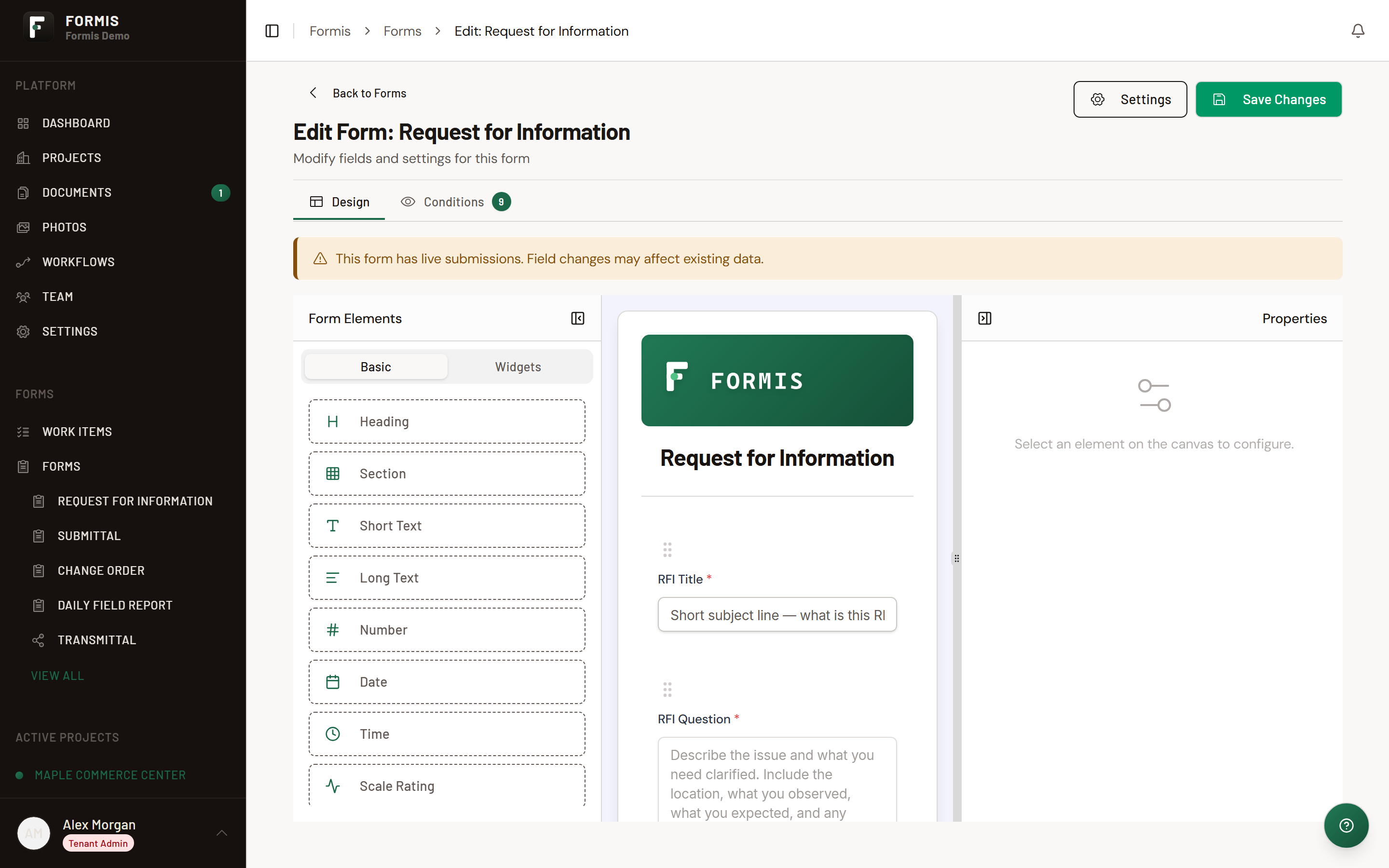
When the form is Published and has submissions, Formis shows: "This form has live submissions. Field changes may affect existing data."
How do I view submission data after the form definition changes?
Open the submission the same way you always do: from the form list, My Work, or a workflow step. There is no separate "historical view" or version picker for older answers. The detail screen always renders against the latest published form definition for that form.
That means:
- Fields that still exist show the stored answers under the current labels, layout, and conditions.
- Fields you removed from the definition no longer appear on the detail screen, even though those values remain stored on the record.
- Fields you added after the submission was created appear empty for that older submission until someone fills them on a later edit (when editing is allowed).
- Renamed labels show the new wording immediately when you open any submission, old or new.
Exports and lists that use the live schema follow the same rule: they reflect the current definition, not the layout that existed on the day of submit.
Do existing submissions change when I edit the form?
Existing answer values stay stored. What people see when they open an old submission follows the latest published form layout and labels. There is no per-submission schema snapshot. Renaming a field label updates how the field appears; storage still keys off the field id.
What happens to data in a field I remove?
Formis does not delete the stored value from the submission's data when you remove a field from the definition. The value becomes an orphaned key: it is retained in storage but no longer shown in the UI. Changing a field's type when historical data exists is blocked; create a new field instead.
What about workflows already in progress?
In-flight workflow instances keep using the same form definition id and therefore the same live schema. If an Active workflow still references a field you try to remove or type-change, Formis blocks the save until those references are cleared. Unpublishing a form back to Draft is blocked when submissions exist; Archive the form to take it out of circulation instead.