Using Task Lists on your phone
The Formis Task List widget works on a phone with the same features and the same permissions as on a computer. On a narrow screen the list switches from a table to a stack of cards. Tap a card to expand it, tap the camera to take a photo with the rear camera, and pinch and drag the drawing viewer to drop pins.
Cards instead of a table
On a phone, each item is a card showing its description, status, and assignee. Tap a card to expand it in place and work the item: change its status, add photos, and see its pin.

The layout switches based on the width of the screen, so a tablet in landscape may show the table view.
Taking photos
Tapping the camera icon on an item opens your phone's rear camera directly, so you can photograph the defect or hazard in front of you without going through your photo library. Each photo is added to the item's strip. See Adding photos to a Task List item.
Pinning on a drawing with touch
In the drawing viewer:
- Pinch to zoom in on the area you need.
- Drag with one finger to pan around the sheet.
- Tap to drop the pin.
- Tap an existing pin to open its item in a sheet from the bottom of the screen. Its photos are right there, and a pin with a camera badge has photos attached. Drag the sheet up for more room, and close it with the X.
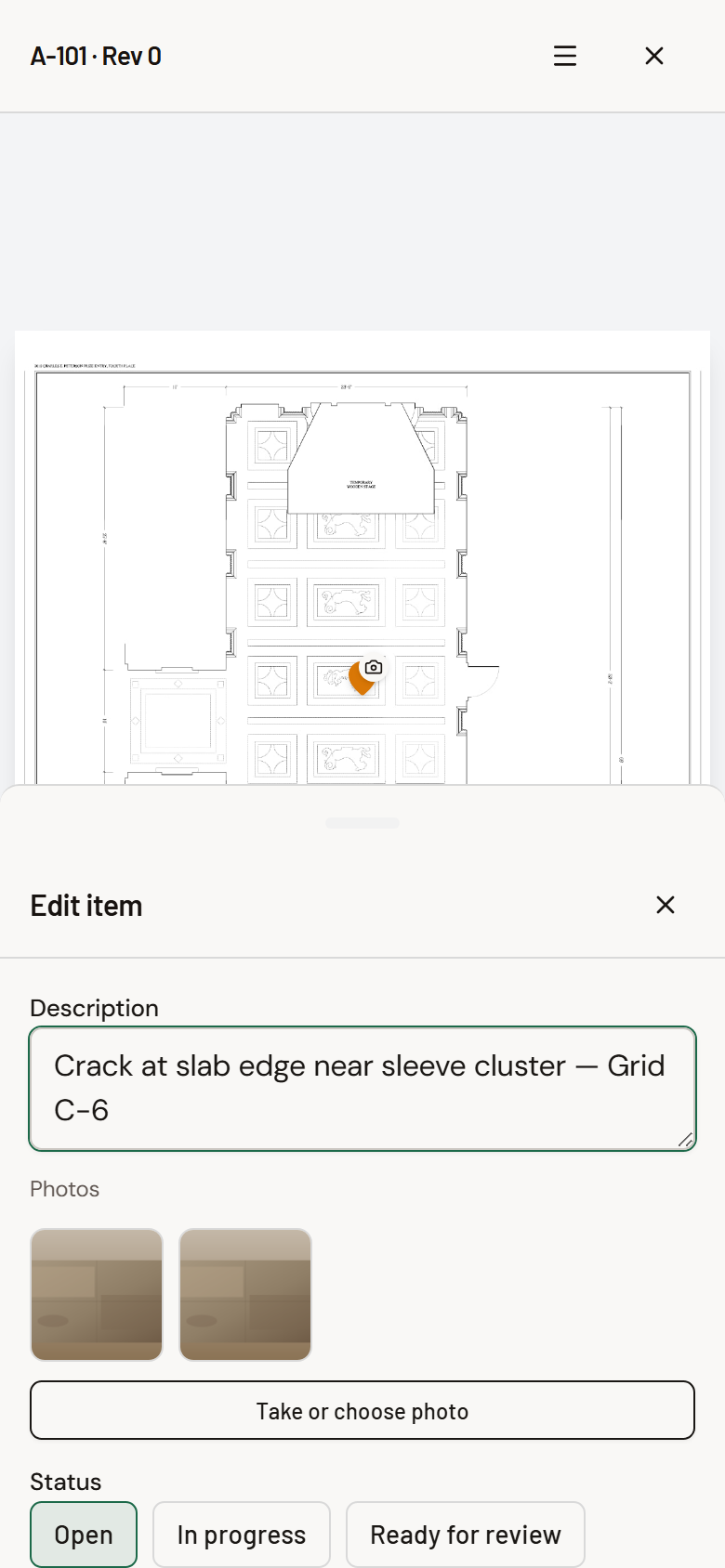
See Pinning a Task List item to a drawing.
Stay connected while you save
Formis saves your changes to the server as you work. There's no offline mode for Task Lists, so in a spot with weak signal, wait for a photo to finish uploading, or a status change to save, before closing the app or moving on. If an upload fails, you'll see an error and can try again once you have signal.
Nothing is phone-only or desktop-only
Permissions are the same on every device. If you can reopen an item, reassign it, or mark up a photo on your computer, you can do it on your phone, and the other way around.
Common questions
Is there a separate mobile app? No. Formis runs in your phone's browser with a layout built for small screens.
Can I use Task Lists without signal? No. Changes and photos need a connection to save. Wait for uploads to finish before moving on in low-signal areas.
Why does my phone open the camera instead of my photo library? Task List photos open the rear camera by default so you can capture what's in front of you.
Why do I see a table on my tablet? The layout follows screen width. Wider screens get the table view.
Drawing: Historic American Buildings Survey, Library of Congress.